
Are you a new blogger or are you like me, been blogging for a while?
I’ve been blogging for over a decade mamas! And you know what?

Blogging and Pinterest have changed a lot over the years.
And the one thing I’ve learned is that the bloggers who stick around are the ones who adapt.
Every year there’s a new tool, a new strategy, a new algorithm update, or a new trend everyone is talking about. Instead of fighting those changes, I’ve learned to adjust and keep moving forward.
And you should too!
I mean, I don’t blog every day.
I’m not on Pinterest every day either.
I’m a busy mom.
My son has baseball, hockey, and even an umpire job this summer.
My daughter is busy with softball. We’re also in the middle of driveway and patio renovations, so life feels pretty hectic right now.
Because of that, I just don’t have the time to sit and blog all day. Plus, I want to enjoy the summer!
So, Ive created a simple system that helps me stay consistent without spending all day online.
The best part?
It still helps me grow traffic and make money even when life gets busy.
If you need a solid summer plan to grow your blog, make sure you check out my post (and video).
My Blogs Are Still Growing (Well Most of Them)
One thing I always tell bloggers is that traffic will fluctuate.
My main blog, Twins Mommy, has had months where traffic climbed to 50,000 pageviews and other months where it dropped lower. That’s completely normal.
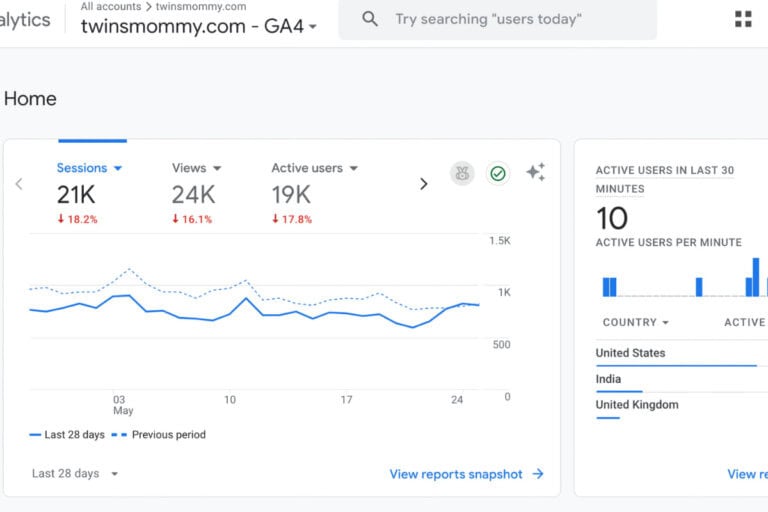
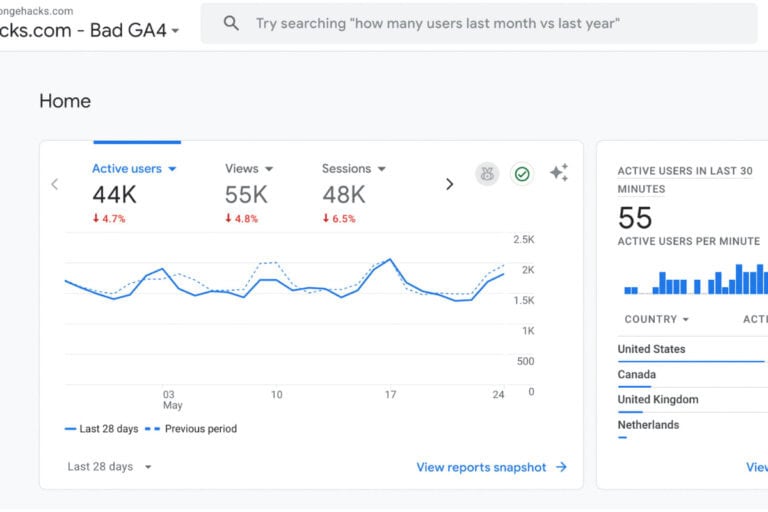
My niche site, Sponge Hacks, continues to bring in traffic year after year because I’ve built a library of content that keeps working for me.
Here’s a snapshot of my traffic on that website.
That’s also why I encourage bloggers not to rely on a single website.
If you have one blog already, consider starting another one in a different niche. Having multiple sites gives you more opportunities to grow traffic and income over time.
For more help starting a niche blog that actually makes money, make sure you check out my program Pin & Win.
Step 1: Use Pinterest Trends for Blog Post Ideas
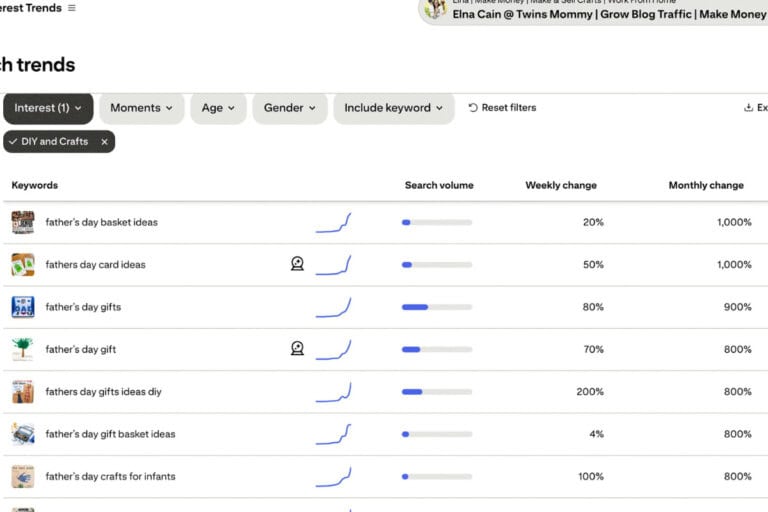
My first stop is usually Pinterest Trends.
Pinterest already knows what people are searching for, so why not use that information?
Instead of guessing what readers want, I look at trending topics and use those ideas to inspire content.
For example, if Pinterest Trends is showing crochet pet accessories as a growing topic, I might brainstorm crochet dog patterns, crochet gifts for pet lovers, or beginner crochet projects for dog owners.
This approach helps me create content that aligns with what Pinterest users are actively looking for right now.
Step 2: Use ChatGPT for Better Headlines
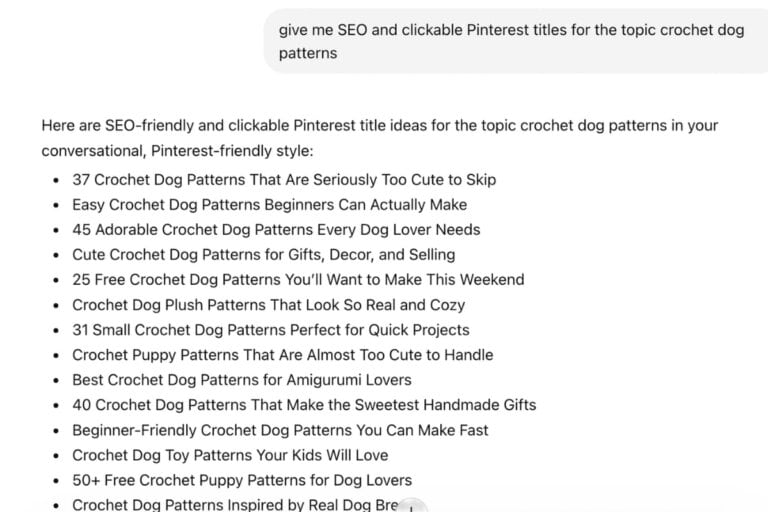
Once I have a topic, I use ChatGPT to brainstorm SEO-friendly and clickable titles.
I’ll ask for:
- Pinterest-friendly titles
- SEO headlines
- Emotional headlines
- Curiosity-driven titles
I rarely use the titles exactly as they’re written. Instead, I use them as inspiration.
Often I’ll shorten them, combine ideas, or tweak the wording based on what I know my audience will click on.
I’ll even go to Pinclicks to check out the top pins for this keyword and see if I’m missing something like a design style or popular term.
This process helps me find a stronger angle before I start writing.
Step 3: Create the Blog Post
Next comes the part where I actually create the content.
Every blogger has a different process, and what works for one person might feel completely wrong for someone else. Some bloggers swear by detailed outlines before they write a single word. Others open a blank document and start typing. Some record voice notes while driving or folding laundry and then turn those thoughts into blog posts later.
And yes, many bloggers are now using AI tools to help brainstorm ideas, organize information, or speed up parts of the writing process.
The method itself isn’t what determines success.
What matters is finding a workflow that helps you consistently hit publish. I use a variety of ways to create content and I lay out the best one for mom bloggers in Pin & Win!
As a busy mom raising twins, I’ve never had the luxury of spending an entire day crafting the perfect blog post. Most of my blogging happened during nap times, after bedtime, between school pickups, or while dinner was cooking.
Because of that, I had to create a content workflow that was realistic for my life, not some ideal schedule I saw another blogger using online.
That’s one of the biggest reasons I’ve been able to manage multiple blogs over the years. I focus on creating helpful content efficiently instead of chasing perfection. My goal is always to provide value to readers while keeping my publishing schedule consistent.
If you’re building a blog while juggling kids, work, or other responsibilities, give yourself permission to simplify the process.
Find a workflow that fits your life, stick with it, and keep publishing. Consistency will take you much further than waiting for every post to feel perfect.
Step 4: Research What Pins Are Already Ranking
Before I create a pin, I want to see what’s already working and use PinClicks to research top-performing pins and identify common patterns.
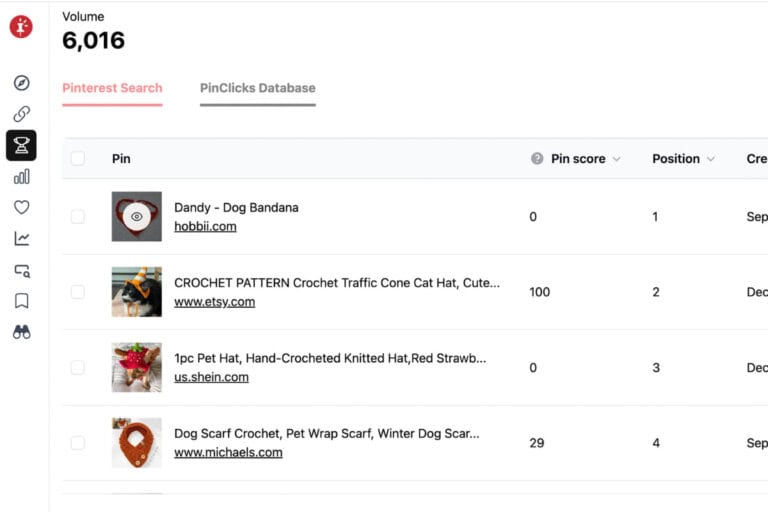
I look at things like:
- The words used on the pin
- The style of the design
- The number of saves
- The titles being used
This gives me valuable clues about what Pinterest users are engaging with.
If the top-performing pins all use words like “easy,” “free,” “quick,” or “adorable,” I’ll consider incorporating similar language into my own title and pin design.
Step 5: Create Pins in Canva
Right now, I’m still creating most of my pins in Canva.
While AI-generated images continue to improve, I’ve found that my Canva templates are working well for me.
I like having full control over the fonts I use, the colors and overall design.
And for my blogs, simple Canva pins continue to generate consistent traffic.
Feel free to use my Pin Canva Templates for your blog and make it easy to create optimized Pins!
Step 6: Schedule Your Pins
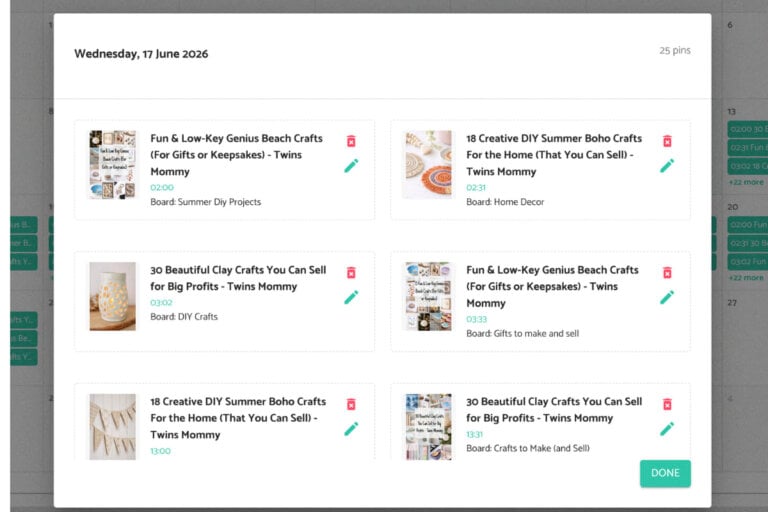
I use Pin Generator to schedule multiple pins throughout the day.
While manual pinning can work, I just don’t have the time to do that for every one of my niche blogs.
Scheduling allows me to batch my work and focus on creating content instead and that’s the workflow I use every day.
But, if you have the time to manual pin, try it and see if you get some results!
For me, when life gets busy, scheduling keeps my Pinterest account active without requiring daily effort.
Pinterest Tips That Are Working for Me Right Now
If you’re using Pinterest for your blog and you’re not getting much traffic from all that pinning, maybe you’re missing something in your workflow.
Here are a few things I’ve noticed:
1. Add Text to Your Pins
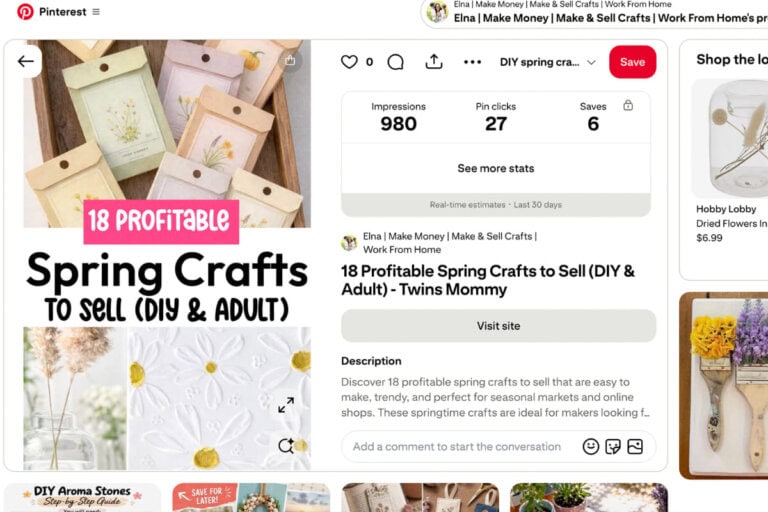
Most of my top-performing pins include text overlays. I make sure to use easy-to-read fonts and have the important words in a large font.
People want to quickly understand what the content is about before clicking.
That doesn’t mean every pin needs text, but it’s worth testing.
Try making your main pin with words on it and a few alternative ones with different text on it.
2. Don’t Rely on Faces
Over the years I’ve seen that for many niches, close-up faces don’t perform as well as lifestyle images, objects, hands, or styled scenes.
This isn’t true for every niche, but it’s something I’ve consistently noticed across several of my sites.
So, be cautious and just avod, if possible, using a face in your pin designs.
3. Check Your Analytics Regularly
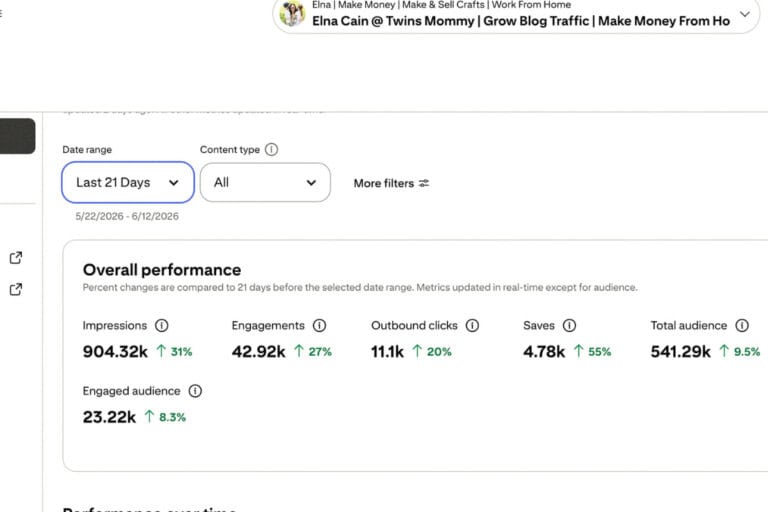
Your Pinterest analytics will tell you exactly what your audience likes.
Instead of guessing, look at your top outbound-click pins and create more content around what’s already working.
4. Don’t Ignore Seasonal Content
One strategy I’m focusing on more in 2026 is seasonal content for Pinterest marketing.
Pinterest users love to save seasonal pins and for the longest times I just avoided writing seasonal content.
I like evergreen content because, at that time, I was more focused on Google ranking.
But, even if your niche feels evergreen, I’ve found there’s usually a seasonal angle you can create.
For example:
- Freelance writing blogs can cover summer schedules or holiday productivity.
- Food blogs can focus on seasonal recipes.
- Craft blogs can create holiday and seasonal projects.
- Productivity blogs can publish seasonal routines and planning content.
Seasonal posts can attract fresh traffic while helping your content feel timely and relevant.
Blogging and Pinterest in 2026 Doesn’t Have to Be Complicated
If there’s one thing I want you to remember, it’s this:
You don’t need a complicated system to grow your blog.
You don’t need to spend all day on Pinterest, and you definitely don’t need to be perfect.
Life gets busy. Kids have activities. Summers get hectic. Projects pile up.
Give yourself some grace.
Create content consistently, use Pinterest strategically, and focus on building systems that fit your lifestyle.
That’s exactly what I’m doing in 2026, and it’s helping me continue growing traffic even during the busiest seasons of life.
Let me know what your workflow is for Pinterest marketing! I’d love to hear it.



Leave a Reply